
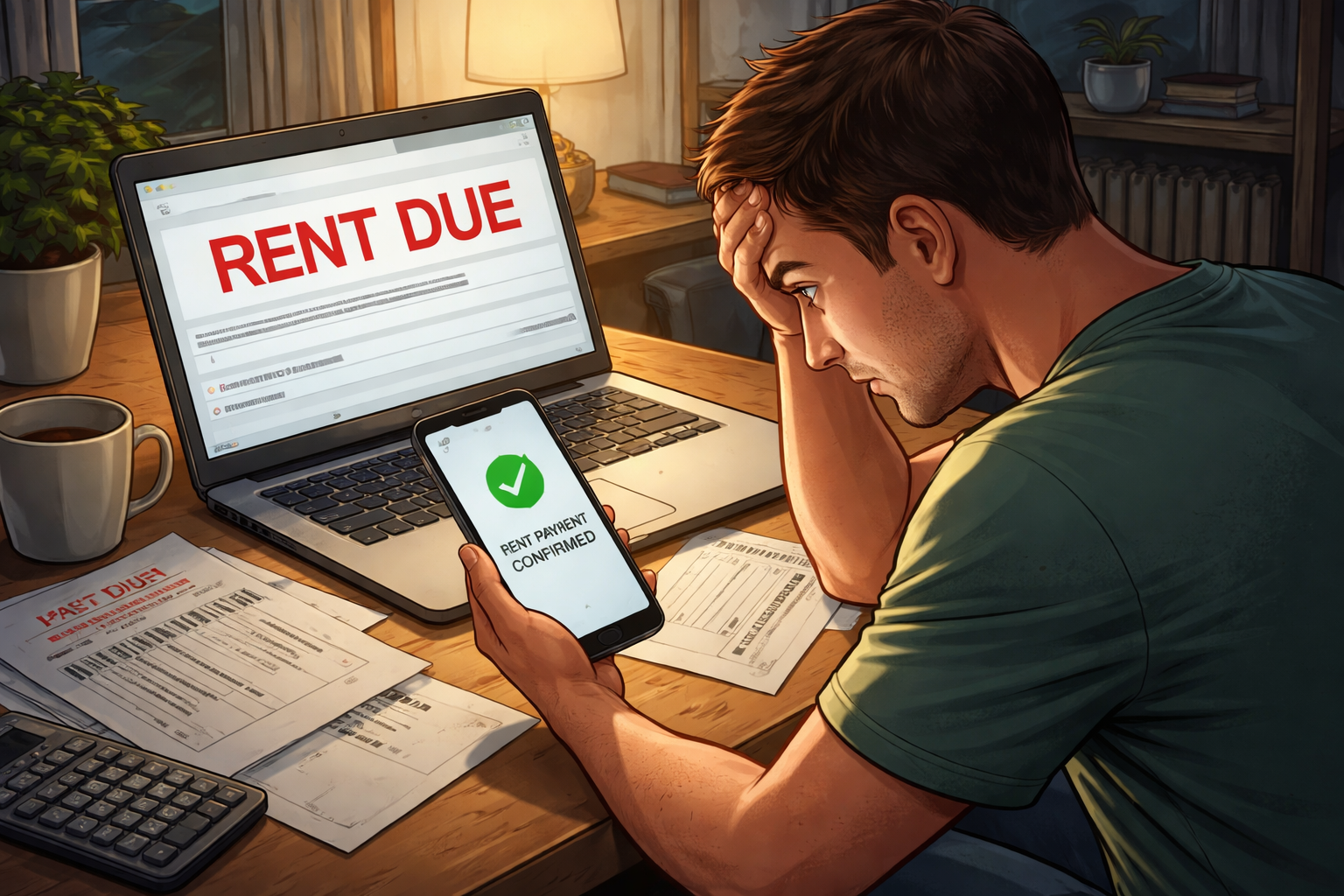
Landlord Marked Rent as Unpaid After Online Payment Confirmation was the exact problem sitting in front of me when I opened the tenant portal again and saw the same balance still due. A few minutes earlier, the payment screen had looked clean and final. There was a confirmation number, a timestamp, and that reassuring message saying the payment had been submitted successfully. Nothing on that page suggested trouble. Then the account screen reloaded, and the rent was still sitting there as if I had done nothing.
That kind of moment creates instant confusion because it does not feel like a normal late-rent issue. It feels like the system is contradicting itself. You have proof in one place and a problem in another place at the exact same time. That is also why tenants often make the wrong first move. They either panic and pay again, or they assume the portal will catch up by itself. Both reactions can make the situation harder to untangle once fees, notices, or internal collection workflows begin moving in the background.
Before treating this like a simple delay, it helps to understand how rent posting problems usually develop between the payment screen, processor, and landlord ledger:
Why this happens after a payment looks complete
When Landlord Marked Rent as Unpaid After Online Payment Confirmation happens, the biggest misunderstanding is assuming the word “confirmation” means the landlord has actually received cleared money and applied it to the current month’s rent. In many systems, that is not what confirmation means at all. It may only mean your payment instruction was accepted by the portal. It may mean the card attempt was authorized. It may mean the ACH request was transmitted. It may even mean the processor created a transaction record while the landlord’s actual ledger still has not changed.
In other words, the portal can confirm your action before the landlord system confirms your rent. That gap is where problems start.
A typical payment flow has several layers:
- The tenant submits the payment through the portal
- The portal generates a confirmation page or email
- The processor sends the transaction through ACH or card rails
- The management platform waits for cleared or reconciled status
- The rent ledger updates after batch posting or manual review
If one layer moves faster than another, Landlord Marked Rent as Unpaid After Online Payment Confirmation can appear even though the payment is somewhere in the system. The issue may not be that the money disappeared. The issue may be that the money and the ledger are not aligned yet.
Match your situation before you respond
This problem becomes easier to solve when you identify which version of it you are dealing with. Tenants often describe all of these situations the same way, but the internal cause is different in each one.
One: confirmation page exists, but the bank still shows pending
This is common with ACH payments. The portal accepted the payment instruction, but the transfer has not fully cleared. The landlord side may still show unpaid until the processor sends a settled status.
Two: bank shows completed, but the property ledger still shows due
This usually points to a posting or reconciliation lag. The money may have moved, but the tenant account has not been updated in the management system.
Three: payment posted somewhere, but not to current rent
The system may have applied the payment to fees, an old balance, or even a future month. In that situation, the tenant feels paid, but the current rent line still shows unpaid.
Four: the portal confirmed payment, but the transaction later failed or reversed
Some systems generate an early success screen before a later rejection, return, or chargeback code appears. If the tenant never checks again, the account can quietly roll back into unpaid status.
Five: the property manager sees a different internal status than you do
Tenant portals and staff dashboards do not always display the same information. A manager may see “unapplied,” “held,” “under review,” or “batch pending” while the tenant only sees a confirmation receipt.
That is why Landlord Marked Rent as Unpaid After Online Payment Confirmation should not be handled like a generic customer-service complaint. The right fix depends on which system layer failed to sync.
What the landlord side may actually be seeing
From the landlord or property manager side, your screenshot may not settle the issue by itself. Their accounting workflow usually centers on the ledger, not the confirmation page. If the ledger still shows unpaid, staff may be trained to treat the account as unpaid until a later status changes. That does not always mean they believe you are lying. It often means their system rules do not allow them to treat confirmation as final payment.
This is where frustration escalates. The tenant sees proof of action. The manager sees a balance still open. Both think they are looking at the truth.
Some common internal reasons include:
- ACH payments waiting through a bank-clearing window
- Weekend or holiday processing delays
- Batch posting that happens overnight rather than instantly
- Fraud or return-risk holds on certain transactions
- Manual review because the amount does not match the ledger
- Allocation rules that prioritize fees or prior balances first
The landlord system often cares less about your confirmation than about the posting code attached to the money. That is why Landlord Marked Rent as Unpaid After Online Payment Confirmation can continue even when you have a perfect screenshot.
The situations that become dangerous fastest
Not every posting issue turns into a serious dispute, but some versions of this problem need immediate pressure because the risk is not just a temporary display error.
- If the rent due date has just passed and late fees are about to hit
- If a pay-or-quit notice has already been generated automatically
- If the property uses strict eviction filing timelines
- If prior unpaid balances exist and the system allocates new money backward
- If your payment was made near a cutoff time, weekend, or holiday
In those situations, Landlord Marked Rent as Unpaid After Online Payment Confirmation is no longer just an accounting mismatch. It becomes a timing problem with legal and financial consequences. A tenant can be technically right about having paid and still get dragged into a much worse process because the ledger was not corrected fast enough.
If your issue looks tied to payment timing rather than a missing transaction, this related guide helps clarify how cutoff windows create false unpaid status:
What to check before contacting the landlord
Before you send a message, gather the exact proof that separates a real payment from a mere submission attempt. This matters because vague complaints slow everything down. A short, organized record gets better results.
- Confirmation number or transaction ID
- Date and exact time of payment submission
- Amount submitted
- Payment method used
- Bank screenshot showing pending or completed status
- Email receipt from portal or processor
- Current screenshot of tenant ledger still showing unpaid
Once you have that, you are in a much stronger position to challenge Landlord Marked Rent as Unpaid After Online Payment Confirmation in writing. The goal is not to send a long emotional message. The goal is to force the property side to identify where the payment is sitting.
How to ask the right questions in writing
The fastest way to get useful answers is to ask narrow questions that require a ledger-based response. Broad complaints usually get broad replies. You want specifics.
- Please confirm whether the payment is showing as pending, failed, reversed, or unapplied on your side
- Please confirm whether the payment is attached to my current month rent or another balance category
- Please confirm whether any late fee or notice workflow has been triggered while this transaction remains unresolved
- Please provide the expected date for ledger correction if the payment is in processing
- Please confirm in writing that the account will not be treated as unpaid while this transaction is under review
A written timeline matters because many rent problems get worse in the gap between “we’re checking” and the next automated notice.
Do not make these common mistakes
Tenants under pressure often do something that creates a second, more complicated problem.
- Do not pay a second time immediately unless you are specifically instructed in writing
- Do not rely on a phone call alone
- Do not assume the confirmation message protects you by itself
- Do not wait until an eviction or collections notice arrives
- Do not argue only about fairness when the real problem is ledger coding
The reason these mistakes matter is simple. If Landlord Marked Rent as Unpaid After Online Payment Confirmation is caused by delay or misapplication, a second payment can create overpayment, future credit, or a new dispute about refunds. If it is caused by a later reversal, delay can make the account look increasingly delinquent while you believe the issue is already solved.
When the payment was applied to the wrong place
One of the most overlooked versions of this issue is not that the payment vanished, but that it was posted into the wrong bucket. A landlord system may automatically apply money to:
- Old unpaid balances
- Late fees
- Legal fees
- Utilities or misc charges
- Future rent instead of current rent
That kind of allocation can leave the current rent line unpaid even though money moved successfully. To the tenant, it looks like Landlord Marked Rent as Unpaid After Online Payment Confirmation for no reason. To the system, the payment was real but used elsewhere. That is why asking where the payment was applied is just as important as asking whether it was received.
If notices or eviction paperwork already started
Once notices are in play, speed matters more than explanation. At that point, your job is to stop the account from moving deeper into default treatment while the posting issue is still being sorted out.
Send written proof immediately. Ask whether the account has already entered notice, legal, or collection workflow. Ask for a corrected ledger or written acknowledgment that the payment dispute is under active review. If a notice was issued after the payment event, keep that timeline documented carefully.
If you are already dealing with a notice after payment, read this next because the problem is no longer just portal-related:
Key Takeaways
- Landlord Marked Rent as Unpaid After Online Payment Confirmation usually means a system mismatch, not necessarily missing money
- A confirmation page may only prove submission, not final settlement or proper ledger posting
- The most common causes are pending ACH status, reconciliation delay, wrong allocation, or later reversal
- Written proof and written follow-up matter more than verbal reassurance
- The risk rises quickly once late fees, notices, or eviction workflows start
FAQ
Does a confirmation screen prove my rent was paid?
It proves you initiated the transaction, but it does not always prove the landlord ledger treated the rent as fully paid.
Why would the portal confirm my payment if the account still shows unpaid?
Because portal confirmation often happens earlier than bank settlement and ledger reconciliation.
Should I send another payment right away?
Usually no. Paying again too quickly can create duplicate-payment problems unless the landlord clearly confirms the first transaction failed.
Can I still get late fees if this was a system issue?
Yes. Many systems assess fees based on ledger status, which is why fast written escalation matters.
What is the most important thing to ask the property manager?
Ask whether the payment is pending, reversed, unapplied, or posted to a different balance category, and ask for that answer in writing.
What you should do right now
Landlord Marked Rent as Unpaid After Online Payment Confirmation is the kind of problem that becomes expensive when tenants hesitate. The first priority is not proving that you clicked “pay.” The first priority is getting the landlord side to identify the payment status, posting location, and risk to your account before the next automated step happens.
So do this today: save the confirmation, save the bank status, take a screenshot of the unpaid ledger, send a written message asking exactly how the payment is coded on their side, and ask whether any fee or notice workflow is still active. Do not wait for the system to fix itself if the rent still shows unpaid. The right action now is fast documentation, fast written escalation, and a direct request for ledger correction before the issue grows into something much harder to undo.
For general U.S. consumer payment and dispute guidance, refer to:
Consumer Financial Protection Bureau (CFPB) – Consumer Tools